
A multi-tool email workflow works when each tool hands its work to the next without anyone retyping, re-exporting, or rebuilding it: the brief feeds the build, the Figma design becomes coded email, and approval happens on the asset before it syncs to the MAP. Knak is the agentic production layer for enterprise marketing, connecting design, approvals, and the MAP so the stack doesn't need consolidating to move fast.
That moment when a simple text change turns into a three-day ordeal? Marketing spots a typo, sends it to creative who updates Figma, developers rebuild the HTML, someone notices the dynamic content broke, and suddenly you're in meeting four about a comma that should have been a period.
This is the reality of enterprise email campaigns, and the tool count explains it. Knak's 2026 research found 54% of teams use three to five separate tools to produce a single marketing email, each speaking its own language, each requiring its own login, each holding a piece of your campaign hostage. Gartner's 2025 Marketing Technology Survey found only 49% of martech tools are actively used, despite the investment in these systems.
This creates what we call integration debt: the hidden cost of manual handoffs, duplicate work, and delayed campaigns that compounds every quarter. Optimizely's 2025 report The New Content Operating Model found 64% of marketers cite fragmented workflows as a major barrier to content production.
The conventional wisdom says consolidate everything and find that one platform to rule them all. But that's fantasy. You've got Marketo handling automation for North America, Salesforce Marketing Cloud managing EMEA, and Pardot running demand gen for that division you acquired last year. Your creative team lives in their Figma workspace. Projects flow through your instance of Workfront or Monday.com. Assets sit in your DAM system, whether that's Bynder, Adobe AEM, or another platform, and the trouble is the disconnection between those tools rather than their number.
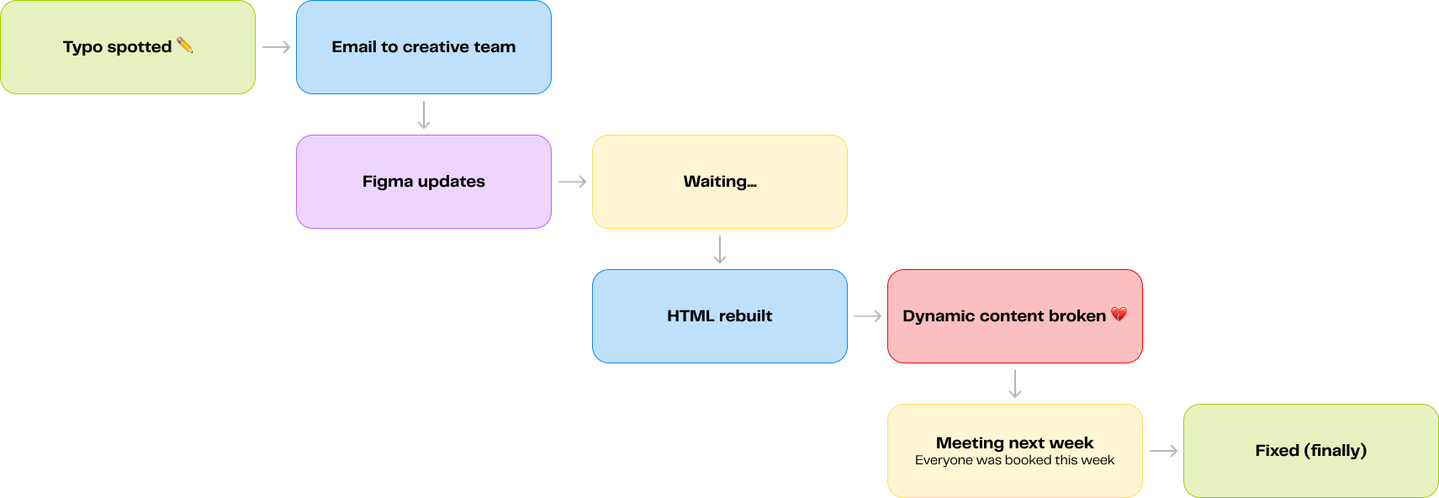
The Typo That Launched a Thousand Emails
The hidden cost of disconnected excellence
Each of your tools probably excels at what it does, so the tools themselves aren't the problem. Your Figma creates beautiful designs. Your marketing automation platform automates complex journeys. Your DAM keeps assets organized. The breakdown happens in the spaces between them.
Let's dissect a typical webinar campaign to see where workflows actually break:
Marketing receives the webinar request in your Monday.com or Workfront. The brief gets copied to Google Sheets because that's what creative uses. Design builds assets in Figma. Copy writes in Google Docs. Someone manually transfers everything to your MAP. The landing page needs custom code because the builder can't handle the design. Registration data flows to ON24, unless it's a special event using Zoom. Emails get built in your MAP's editor because no one has time to code them properly. Approvals happen across email, Slack, and whatever project management tool legal prefers. The recording lands in Vimeo, but slides live in Google Drive, and somehow nobody can find the final approved version of anything.
The Google Sheets to PDF to test email cycle is particularly painful. The marketer writes the brief and the copy into a ticket or a spreadsheet, the images and text arrive in low quality, and the whole package moves to a different team to rebuild. Sign-off rarely lives in one place either: Knak's 2026 research found 51% of teams coordinate campaign workflow and sign-off through email, Slack, or Teams threads.
You're not slow because your team lacks talent. You're slow because your talented team spends its time managing handoffs instead of creating campaigns.
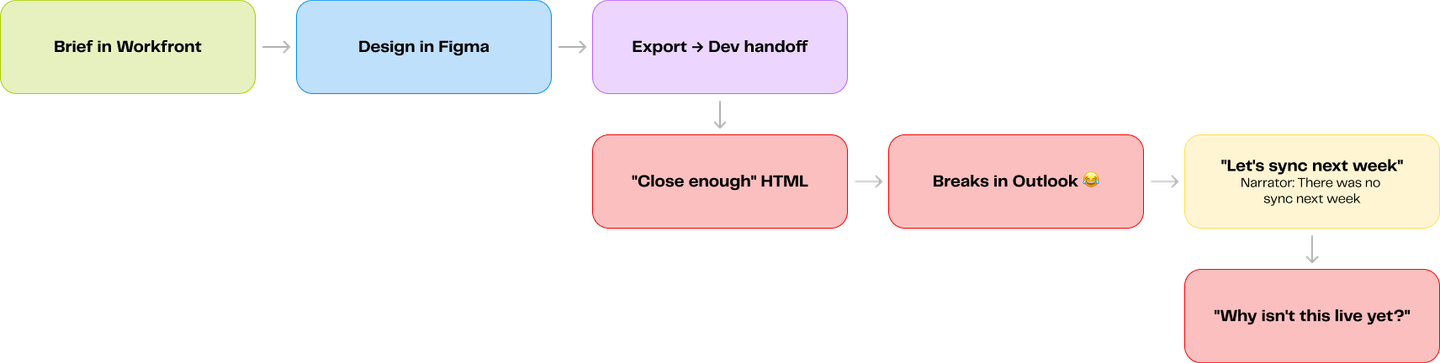
Your 'Quick' Campaign Update Request
Where multi-tool email workflows break
Multi-tool email workflows break at four handoffs: design to email, feedback and approvals, brand and regional rules, and request intake. Each one moves work between tools that don't share a format, so someone retypes, rebuilds, or re-checks it.
Handoff | Where it breaks | What connecting it looks like |
|---|---|---|
Design to email (Figma to MAP) | The email is rebuilt from a static file in table-based HTML, inline CSS, and Outlook fallbacks | The design is pushed from Figma as coded email |
Feedback and approvals | Comments spread across Asana, Slack, email, and marked-up PDFs | Review happens on the rendered email, and the approval is recorded where the work is done |
Brand and regional rules | Brand checks happen by hand; translators work from separate documents that don't sync back | Brand elements are locked, and translations run inside the workflow |
Request intake | The brief is copied between the project tool, a spreadsheet, and the MAP | One intake record feeds the build |
Pasting generated HTML into the MAP doesn't close the design gap either, because the code rarely renders the way the design intended. And hidden within governance is the personalization trap: everyone wants dynamic content, but when it requires AMPscript or Velocity scripting, campaigns default to generic.
Should you consolidate your martech stack or connect it?
Most enterprise teams should connect the stack rather than consolidate it. Migrating three marketing automation platforms into one means retraining hundreds of users, rebuilding years of templates and workflows, and disrupting campaigns for quarters, often to trade strong tools for common-denominator features. Connecting the handoffs gets the speed without the migration.
Your multi-MAP reality exists for good reasons. Maybe you grew through acquisition and each business unit has deep expertise in their platform. Maybe different regions require different capabilities. Maybe you've tried consolidation before and learned that forcing 500 marketers onto a single platform creates more problems than it solves.
The same logic applies across your stack. Your creative team chose their design platform because it changed how they work. Your project managers rely on their system because it connects to procurement and finance. Each tool earned its place through specific excellence.
The question isn't how to eliminate these tools but how to make them work as if they were designed together.
The integration layer: Where magic (or misery) happens
The traditional approach to integration treats it like plumbing, moving files from point A to point B. Each transfer loses fidelity. Colors shift. Fonts break. Dynamic content disappears.
In 2025, DISH cut email creation time in half, from 15 business days to about eight, after fixing a feedback loop that ran through approvers in Programming, Strategy, and Legal.
A production layer handles the technical translation between systems. It accepts Figma designs, gives the whole team visual editing, and supports each MAP's own personalization, such as Marketo tokens or AMPscript in SFMC. It isn't replacing your MAPs; it's making them accessible to your entire team.
When evaluating orchestration tools, look for native sync and resync, not just export capabilities. The ability to resync changes to your MAP without losing dynamic content matters, because a direct sync into Marketo or SFMC removes the most painful handoff while preserving the customization you've built.
The creative handoff that actually works
The most painful handoff in multi-tool workflows happens when creative vision meets technical reality. Your designer creates something beautiful, but whoever codes it doesn't understand the subtle choices that make it work. The spacing that creates visual hierarchy. The color relationships that guide the eye. The responsive behavior that maintains impact across devices.
Modern integrations preserve creative intent through the entire workflow. When a designer finishes an email in Figma, the plugin pushes it into Knak as HTML with one click, so nobody rebuilds it by hand before it syncs to the MAP. "Knak's Figma plugin has doubled my speed and cut my production time in half," said Chelsea Sileck, Graphic Designer at Firstup, quoted on Knak's Figma plugin page. The Figma-to-MAP email marketing automation workflow walks through that handoff step by step.
From sequential to parallel: The workflow revolution
This creative preservation becomes even more complex when you add global scale, but here's where parallel workflows change everything. Traditional workflows are sequential: brief, design, copy, legal, development, QA, deploy. Each step blocks the next, and email cycles measured in weeks aren't unusual.
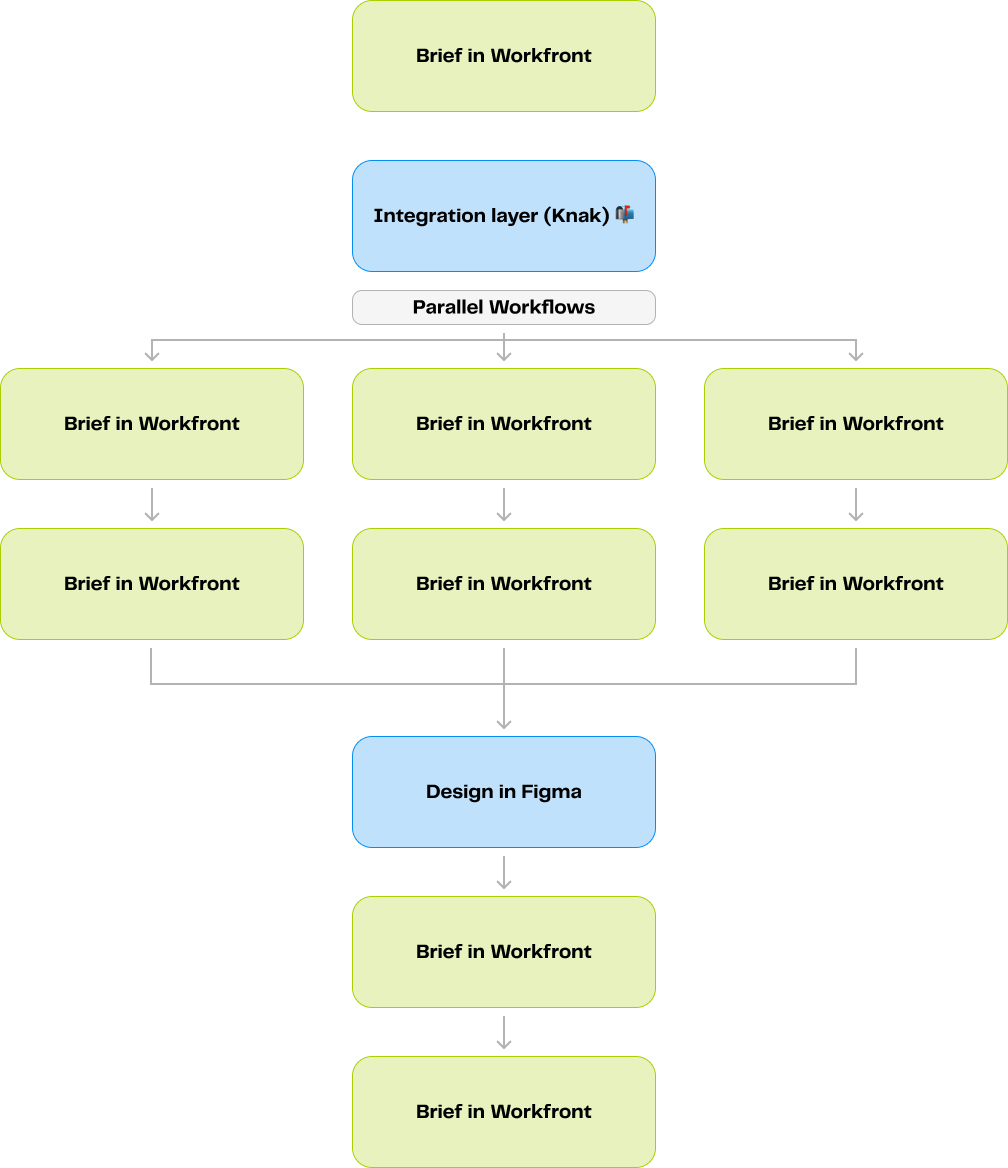
Parallel workflows flip the script on the webinar example: while design creates templates, copy writes content, and while legal reviews messaging, development sets up automation. The landing page doesn't wait for the email to be complete, and registration flow development happens while creative assets are being produced. You're not so much moving faster as moving simultaneously.
This is where the paradox of centralized technology enabling distributed teams becomes powerful. Palo Alto Networks scaled its builders without adding headcount. "No one needs to know how to code, we went from two builders at Palo Alto to now nearly 200," said Gina Novacco, Senior Global Digital Campaign Ops at Palo Alto Networks.
Run in parallel, the same webinar can finish in days rather than weeks. Design provides modules, not finished emails. Copy writes to templates, not blank pages. Approvals happen in context, not in PDFs. Every workstream moves forward simultaneously, converging only at critical checkpoints.
Making global work local (and vice versa)
When your translation management system, whether that's TransPerfect, Smartling, or another platform, connects directly to your production layer, translations stop being external exercises that create version chaos. They become part of your unified workflow. Your French team reviews French content in context, seeing it in the rendered email, without touching the underlying template structure. On the Marketo side, the guide to Marketo personalization tools and integrations covers how translation connectors such as TransPerfect GlobalLink plug in.
Your Singapore team needs campaigns in four languages. London requires different privacy disclaimers. New York wants to test 15 subject lines. Each requirement traditionally adds another layer of complexity, another tool, another handoff. But with proper orchestration, these become parallel tracks, not sequential roadblocks.
The real-time reality check
An urgent revision shows the gap fastest: the copy changes in one tool, the design in another, and comments pile up across five platforms before anyone consolidates them. Collaboration works when comments sit on the email component being discussed and the approval is recorded in the same system where the work gets done.
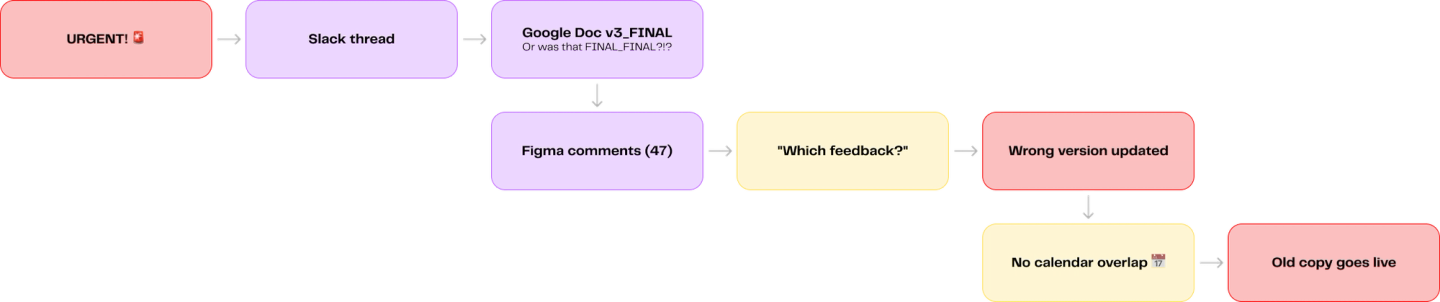
Where Is The Latest Version?
How should enterprise teams manage marketing request intake?
Run every request through one intake form with required fields, and make the intake record the single place where the campaign's status lives, with the brief feeding straight into the build. Then give each request a status contract, so requesters can see where their request stands without chasing anyone on Slack.
The form should require the fields the build needs: audience, channel, MAP and program, launch date, approvers, and the assets or design file. Pick one system for the record (it doesn't matter which) and make everything else supplementary.
A status contract covers five things for every request:
- An acknowledgement to the requester within an agreed time.
- A triage decision (accept, reject, or needs more information) with the reason.
- One named owner.
- The next action and its date.
- Who updates the status, and where, so the record stays current without the requester chasing it.
The minimum viable orchestration: Your starting point
Perfect orchestration is the enemy of good campaigns, so start with the minimum viable orchestration that gets campaigns out the door, without replacing your technology stack.
Quick wins to implement this week:
Standardize naming conventions across all tools. If your Marketo program is "Q1-Webinar-AI," that exact name should appear in Asana, Figma, and everywhere else. This simple change saves hours of hunting for assets.
Build three reusable templates that cover most of your campaigns. Not thirty templates for every edge case, but three that actually get used. A webinar template, a nurture template, and an event template will cover most needs.
Where to automate first:
Automate the handoffs that cause most of your delays. For most teams, that's the design-to-email workflow and the approval process: Knak's 2026 research found getting approvals and sign-off is the most-cited obstacle to launching campaigns on time (47%), ahead of design and creative production (38%). Everything else can remain manual until you've mastered these two.
Don't automate edge cases, because if something happens once a quarter, the manual process is probably fine. Focus on the daily friction that compounds into weekly delays.
Building guardrails without walls:
Lock brand elements (logos, colors, fonts) but leave content areas flexible. Your teams need creative freedom within brand boundaries. In Knak, pre-approved brand guidelines are enforced across the team, so brand checks rely less on someone catching mistakes by hand.
Require approval for external sends but not for internal tests. Reduce friction where risk is low.
Enable personalization through dropdowns and modules, not code. If someone needs to know AMPscript to add dynamic content, the workflow is asking too much of them.
You've reached minimum viable orchestration when campaigns launch on schedule more often than not. Not every campaign, not perfectly, just consistently. When a new team member can create their first campaign without extensive training, your orchestration is working. When the question shifts from "How do we build this?" to "What should we test?", you're ready to scale.
Where to start connecting a multi-tool email workflow
Same Team, Connected Tools, Actual Progress
Most marketing automation doesn't actually automate marketing, because it automates email sending, lead scoring, and journey triggers. But the creation of campaigns? Still embarrassingly manual. True workflow automation means your campaign assembly follows rules you define once and reuse on every campaign until they need updating. Brand colors can lock automatically, and regional content can be handled through dynamic content and linked translations.
Google Cloud avoided over $2 million in costs, as of Knak's 2024 results post, after rolling Knak out to approximately 250 marketers. The organizations winning today haven't simplified their tech stacks; they've connected them.
Start where it hurts most by mapping your campaign workflows and fixing the slowest handoff first. If your creative-to-production handoff takes weeks, connect your design platform to your production layer, eliminate one rebuild cycle, and measure the time saved. Then move to the next friction point, your project management gap or your asset chaos.