

To get a Figma design into Marketo without a rebuild, the design has to become email HTML that follows Marketo's template syntax, then land in the right program folder ready for review. Knak, the agentic production layer for enterprise marketing, reads the Figma file through its plugin, generates the email code, and syncs the finished email to Marketo Engage, so nobody recreates the design by hand.
Between approved Figma designs and your Marketo instance sits a translation process of interpretation, manual rebuilding, velocity scripting, and testing across the email clients your audience uses, and each step waits on someone with the right skills. Knak's 2026 research found that 85% of marketing teams missed at least one campaign launch in the past 12 months because of workflow constraints. What finally reaches subscribers often drifts from the original design.
The challenge runs deeper than resource allocation, because Marketo's Email Editor 2.0 builds templates from Elements, Variables, Modules, or Containers, each defined by adding Marketo-specific syntax to the HTML. Custom layouts require that syntax on top of careful table structure. Teams need expertise not just in HTML and CSS, but also, for advanced personalization, in velocity scripting.
How do you get a Figma design into Marketo?
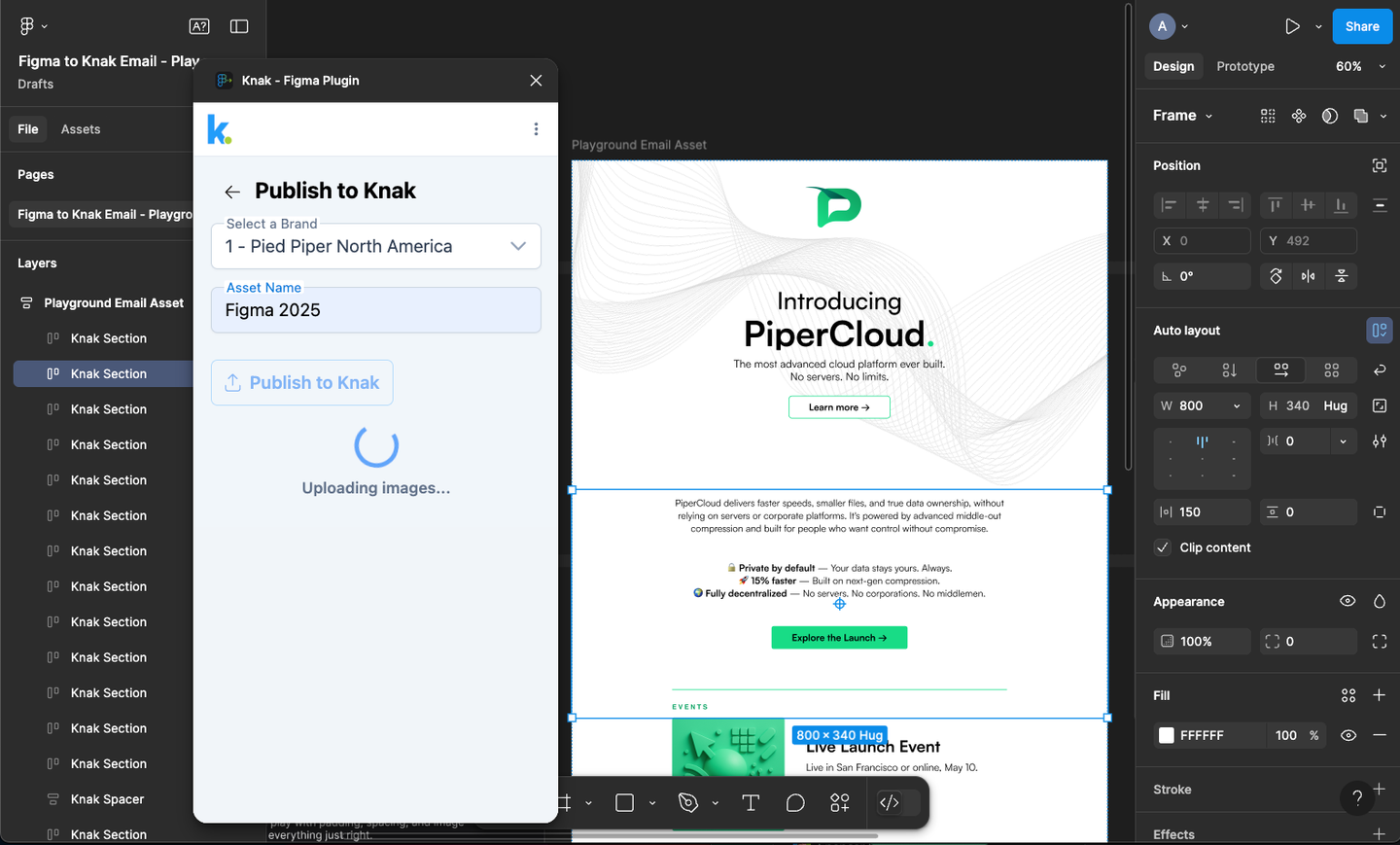
Design the email layout in Figma, then use Knak's Figma plugin to turn the frames into Knak HTML. Personalize and review the email in Knak, route it for approval on the rendered version, and sync it to the Marketo program you choose. Nobody rebuilds the layout by hand.
Consider a typical Marketo enterprise scenario: your B2B software company runs integrated campaigns across six product lines and four regions. Each campaign includes nurture sequences, event promotions, and product updates. The design team maintains a comprehensive Figma library with approved components for each product line, all adhering to brand guidelines while allowing regional flexibility.
Tomorrow, you need to launch a multi-touch campaign for a product update. The Figma designs exist, approved last quarter. But your HTML developer is allocated to a website project for the next two weeks. Your velocity scripting expert is debugging a complex personalization issue in another campaign. The marketer managing this launch understands Marketo's campaign tools but doesn't code.
In the traditional workflow, this campaign waits or compromises. Teams often default to simpler templates that don't require custom development, gradually eroding brand differentiation with each compromise. The sophisticated personalization the campaign needs gets shelved because the velocity scripting would take too long to implement and test.
The Figma plugin transforms this scenario: that marketer can access the approved Figma designs directly, and the plugin turns them into Knak HTML in seconds, with the framework of the design already set up. The marketer then refines, personalizes, and translates the email in Knak instead of rebuilding it.
Jackie Patterson, Marketing Operations Manager at Henry Schein, put it this way in Henry Schein's customer story: "The Figma-to-Knak plugin eliminates that double-build step. Our designers don't have to hand things off for someone else to recreate in Marketo anymore."
The email arrives in Knak fully functional, not as a static image requiring interpretation. Before anything touches Marketo, you can verify rendering across major email clients. Dark mode can be previewed in Knak alongside light mode, and you can check the mobile and desktop views before the email syncs.
For that multi-touch campaign, personalization happens visually in Knak's interface. You set up dynamic content areas visually in Knak, using Marketo tokens and custom objects. Product recommendations could vary by industry vertical, pricing by regional market, and CTAs by role. The logic that would otherwise take a block of velocity script is configured visually, and a preview shows which elements are dynamic and how they'll appear to each recipient.
Step | Manual rebuild in Marketo | Figma to Knak to Marketo |
|---|---|---|
Layout | A developer hand-codes tables from a static file | The Figma plugin generates the email code from the design |
Personalization | Each variation waits for a specialist to build or script it | Dynamic content is set up visually in Knak |
Review | Reviewers mark up a PDF or screenshot | Reviewers approve the rendered email |
Sync | Someone pastes HTML into Marketo by hand | The email syncs to the Marketo program you choose |
How Knak connects with Marketo
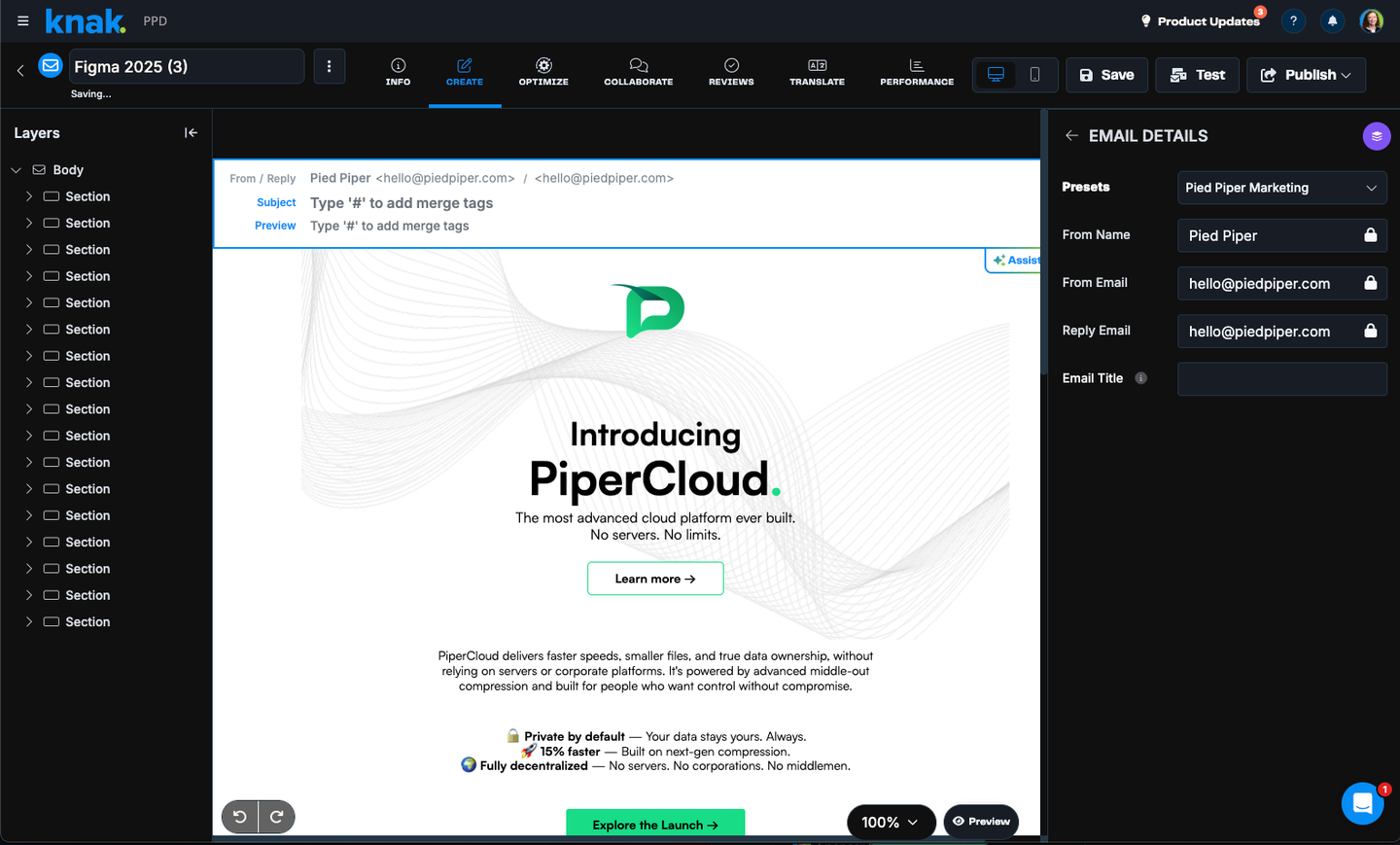
The integration between Knak and Marketo is purpose-built for enterprise complexity. Knak's Adobe Marketo Engage integration page states that "All Marketo tokens are fully supported (Person, Company, Program, My, Member)," and that teams can "Clone Marketo programs directly from Knak." This isn't a simple HTML import that hopes for the best. The connection understands Marketo's specific requirements, from template syntax to program structure, and the email builder side of a Marketo integration covers what marketers do in the editor.
Knak connects to your Marketo instance through a REST API integration. You sync emails to the Marketo program of your choice by browsing or searching inside Knak, and admins can limit which workspaces and folders each user can sync to, so assets land where the enterprise's program structure expects them.
Knak handles the technical translation that typically requires developer expertise. Knak emails sync with the required Marketo syntax for Email Editor 2.0, and Knak generates and pushes the plain-text version of each email into Marketo as well. Marketo email sends can also be scheduled directly from Knak, and that ability can be limited with Knak user permissions.
Dynamic content works with the sync: build it in Knak with tokens and custom objects, and the email stays editable in Marketo after the sync, so teams that prefer Marketo's own snippets or segmentation can still add them there. Either way, the manual rebuild phase is gone.
How do global teams keep Marketo emails on-brand?
Global teams stay on-brand in Marketo when every region builds from one shared component library with the brand elements locked, adapts content inside one base design instead of cloning templates, and gets reviewed on the rendered email. Regional teams move at their own pace, and the brand team reviews the rendered email, not a PDF.
Design teams create once, knowing their work will translate accurately. They build component libraries in Figma that become organizational assets. Any team member can use these approved designs, not just those with HTML expertise. Brand consistency improves because teams use standardized components rather than attempting recreations.
Regional variants are built from the same base design: Knak's Translations feature keeps translation inside the production workflow, and translated variants stay linked to the parent asset, so design changes carry through to the translated versions while each variant adapts to local requirements. The governance challenge of managing multiple markets from a single Marketo instance becomes manageable.
Review happens on the rendered email, so reviewers see what subscribers will receive in the clients they preview. Compliance teams check that legal disclaimers render correctly in the clients they test. Regional managers confirm their localized content displays properly. Product teams ensure feature descriptions are accurate. This isn't theoretical review; it's validation of production-ready assets.
Transforming email production at scale
The impact extends beyond individual campaigns, because this workflow shifts how enterprise marketing teams operate with Marketo.
Marketing operations teams get back the days a manual rebuild used to take, and the production that once waited on a developer moves to the marketers running the campaign. Those recovered days shift to strategy, testing, and optimization rather than manual production.
The bigger shift is in how many people can build an email at all. Cory Riley, a marketing operations lead at Citrix, described it in Citrix's customer story: "In a matter of weeks, we went from having just five people creating emails to over 80 people with the ability to create emails." For Marketo teams the change can reach program structure as well: SAP reduced its number of Marketo programs by 83% after adopting Knak, per its 2025 case study. In the launch scenario above, that means the HTML developer and the velocity scripting expert stay on the work that needs them, and the marketer running the product update no longer waits for either of them to free up.
The queue for velocity scripting clears, because complex personalization that previously required specialized expertise becomes accessible to broader teams. This doesn't replace velocity scripting for advanced use cases; it expands who can implement standard personalization. Your scripting experts focus on complex logic while other team members handle routine personalization.
Quality improves alongside efficiency, because the email can be tested across the clients your audience uses, dark mode included, before it reaches Marketo. More of the quality issues that emerge at scale get caught before the send instead of after it.
This isn't about replacing Marketo, which remains excellent for marketing automation, lead scoring, and campaign orchestration. The integration adds to these strengths by solving the design-to-deployment step. Better emails feed into Marketo's automation engine, improving overall campaign performance.
Start with your next campaign where design resources are constrained or the timeline is critical. Use existing Figma designs through Knak to create production-ready emails for Marketo, measure the time saved and quality maintained, then expand across your email program. The Figma-to-MAP email workflow covers the steps every platform shares, Salesforce Marketing Cloud included.