

TL;DR
Marketo is deprecating the Forward to a Friend (F2F) feature in Marketo Engage 2.0 email (the legacy email editor). After September 29, 2025, F2F links/tokens will stop working. Update your email footers to avoid broken links. If you use Knak, this is a 2-minute module update.
Why the change? Marketo cites security concerns and is fully retiring the feature.
What’s changing
- The F2F token in Marketo Engage 2.0 email is being retired; any emails containing the token (past or future) won’t work after the deprecation date.
- The legacy token is
{{system.forwardToFriendLink}}(if you see that in your footer, it needs to go).
What happens if you do nothing
- Your footer’s “Forward to a Friend” link will lead nowhere or error out after the cutoff.
- Triggered/nurture emails or evergreen programs that reuse older templates/snippets will keep sending with a dead link.
The Fix: Remove “Forward to a Friend” from your footer
If you build emails directly in Marketo
Remove all instances of {{system.forwardToFriendLink}} from footers (templates, snippets, and any local email content).
1. Audit where it exists
- In Design Studio → Snippets, open your footer snippet(s) and check the Used By tab to see every email/template that references it.
- In Design Studio → Email Templates, open footer regions.
- For ad-hoc emails, open the Email asset and search the footer text/HTML.
2. Edit and remove (Work with a developer to make these edits)
- Snippets: Edit HTML, delete the anchor (and any surrounding text) that contains
{{system.forwardToFriendLink}}. Approve the snippet. - Templates: Edit HTML to remove the link/token. Approve the template.
- Emails (local content): Edit the email, remove the link/token from the footer, and Approve Draft.
3. Re-approve dependent emails
- For emails using updated snippets/templates, open and approve a new draft so the change is locked for future sends—especially for triggered/nurture emails you keep running.
4. Spot-check
- Send yourself a test of representative emails (one nurture, one newsletter, one transactional) and confirm no “Forward to a Friend” link remains and no
{{system.forwardToFriendLink}}appears in the HTML. - Remember: post-deprecation, old F2F links will error; the token won’t populate a URL.
If you build emails using Knak
If your footer lives as a module in Knak, you update once, then re-sync where needed:
1. In Admin→ Modules, search for your Footer Module.
2. Edit the module and remove any F2F link/text. Save/approve.
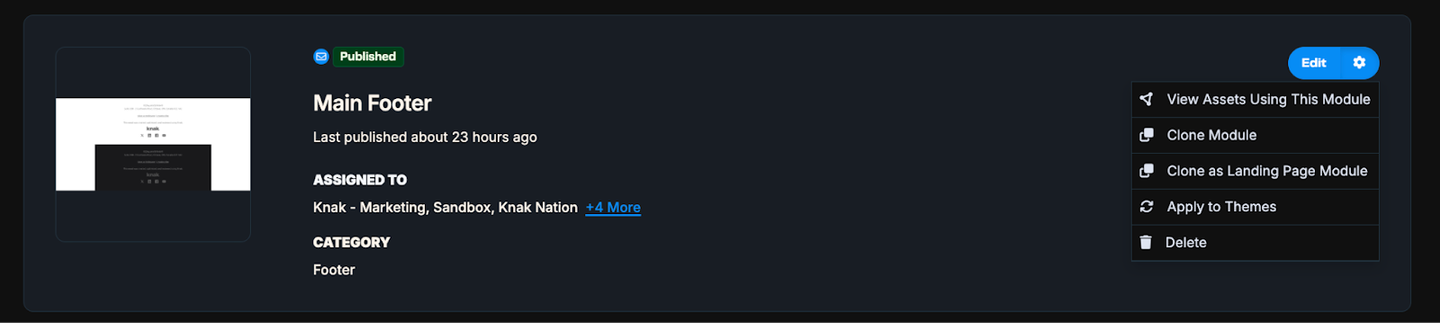
3. Once you Save/approve the module, click on the gear icon of the footer module, and select View Assets Using this Module.
- filter by Status = Synced to see every email currently using that module (handy for separating long-running triggers from one-off sends—then re-sync the ones that matter first).
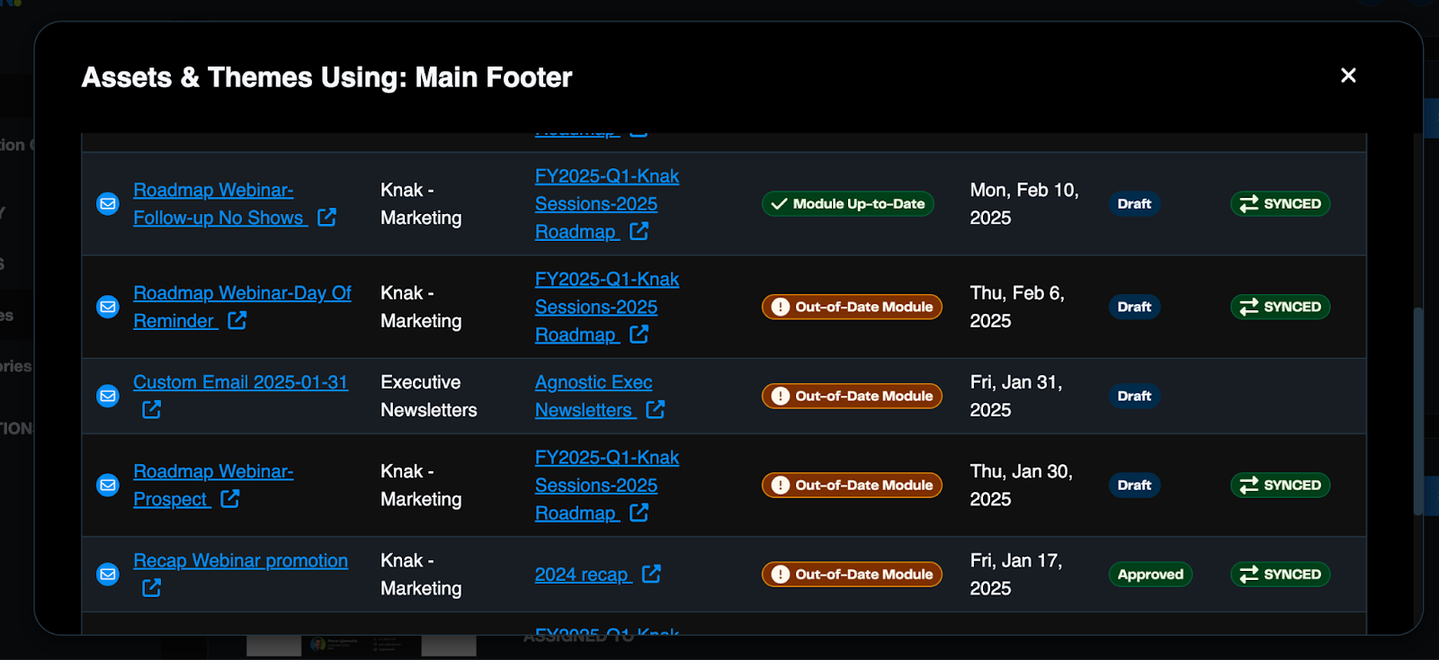
4. Re-sync/re-approve those emails so the updated footer is live.
That’s it!
More information about the depreciation of the Forward to Friend functionality can be found on Adobe's Marketing Nation site.