

I just got back from SaaStr AI, Jason Lemkin’s annual conference for SaaS.
Over the past couple of years Jason and the SaaStr team have gone all-in on AI and agents. Jason shared that they went from 23 humans down to 2-3 humans and 23 agents to run the conference.
In a session with Replit founder Amjad Masad, he refers to Jason as someone who is truly “living in the future” when it comes to his usage of agents and AI.
I have personally really appreciated Jason and Amelia’s push to get way deeper into AI and attended the conference this year because I feel there is a huge opportunity (and threat) to SaaS companies.
As a lifelong marketer, it was also interesting to experience this conference as an attendee, knowing that every email and landing page was likely built fully with an agent.
There is so much hype right now about AI, and a lot of it is warranted in terms of what it is capable of. But I also think there is a lot that people just don’t know what they don’t know.
We recently wrote about this in our research study that ranked how well each LLM is at building HTML emails (spoiler alert: none of them are good).
I thought it was interesting that I attended the AI VP of Marketing session hosted by Replit, and I asked one of the Replit guys “oh so one of the things you guys specialize in is Marketing?” And he answered “No we’re more focused on Product”.
So therein lies the rub. Can agents help with Marketing? Yes.
Are they perfect?
No.
Here is a breakdown/review of how the SaaStr emails perform across email clients and highlights a lot of what is already in our LLM study about the pitfalls of LLM generated code for HTML emails.
SaaStr Email Quality Review
Invisible CTA buttons
CTA buttons are arguably the most critical component of any email; however, these specific campaigns suffer from significant display issues across various email clients.
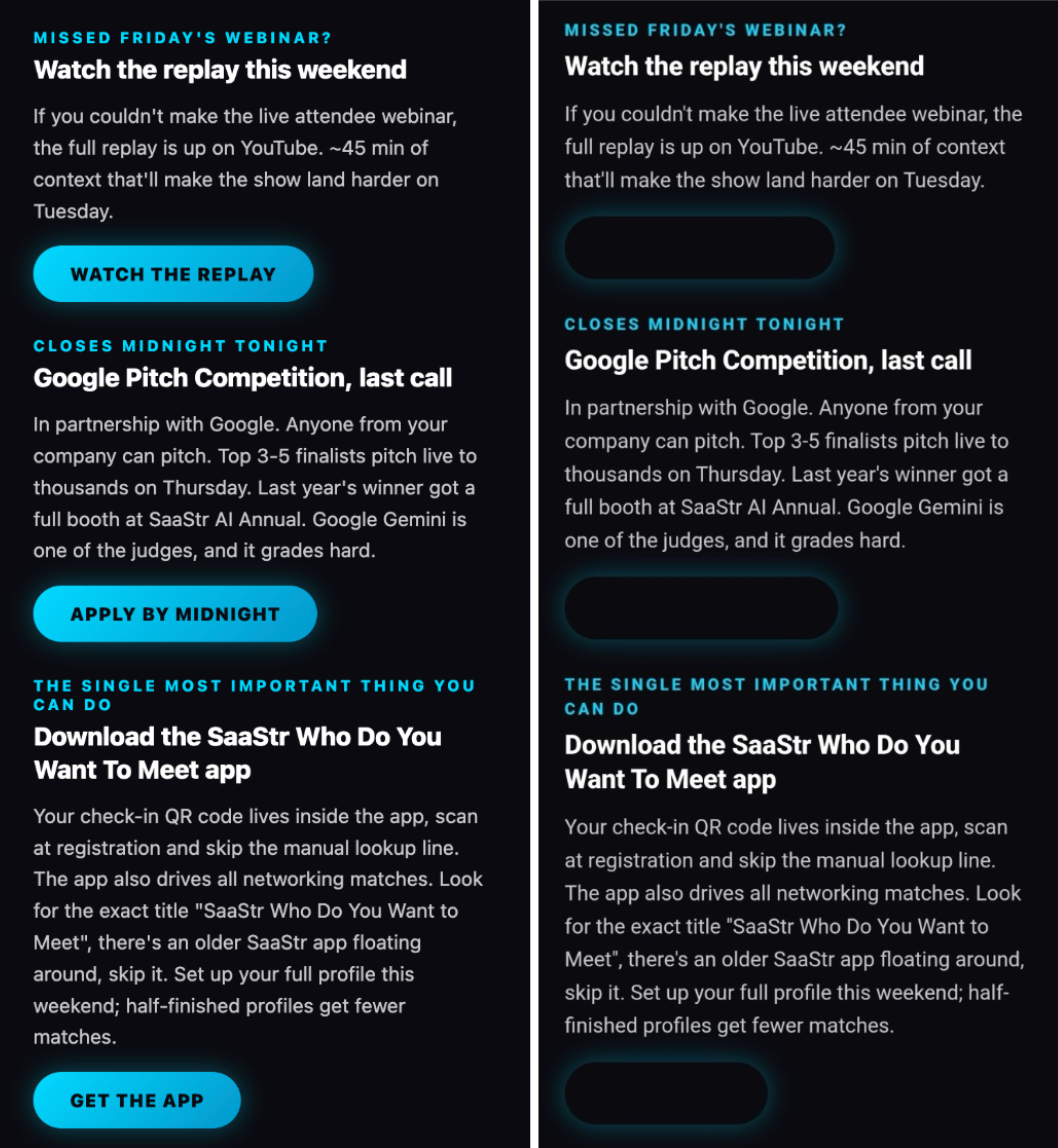
For instance, the reminder and daily agenda emails feature primary CTAs styled with an attractive blue gradient.
These look great, but they are coded using the CSS linear-gradient function, which has limited support across email clients. While CSS rules typically allow a 'fallback color' to be specified for gradients, many unsupported email clients throw out the entire rule, including that fallback – resulting in no background color at all.
Handling email client quirks and features like gradients typically requires careful coding with layered fallbacks, something LLMs are not currently capable of achieving.
The buttons are invisible in:
- Outlook App for Android
- Outlook App for iOS
- Outlook.com
- Outlook for Windows
- Outlook for Mac
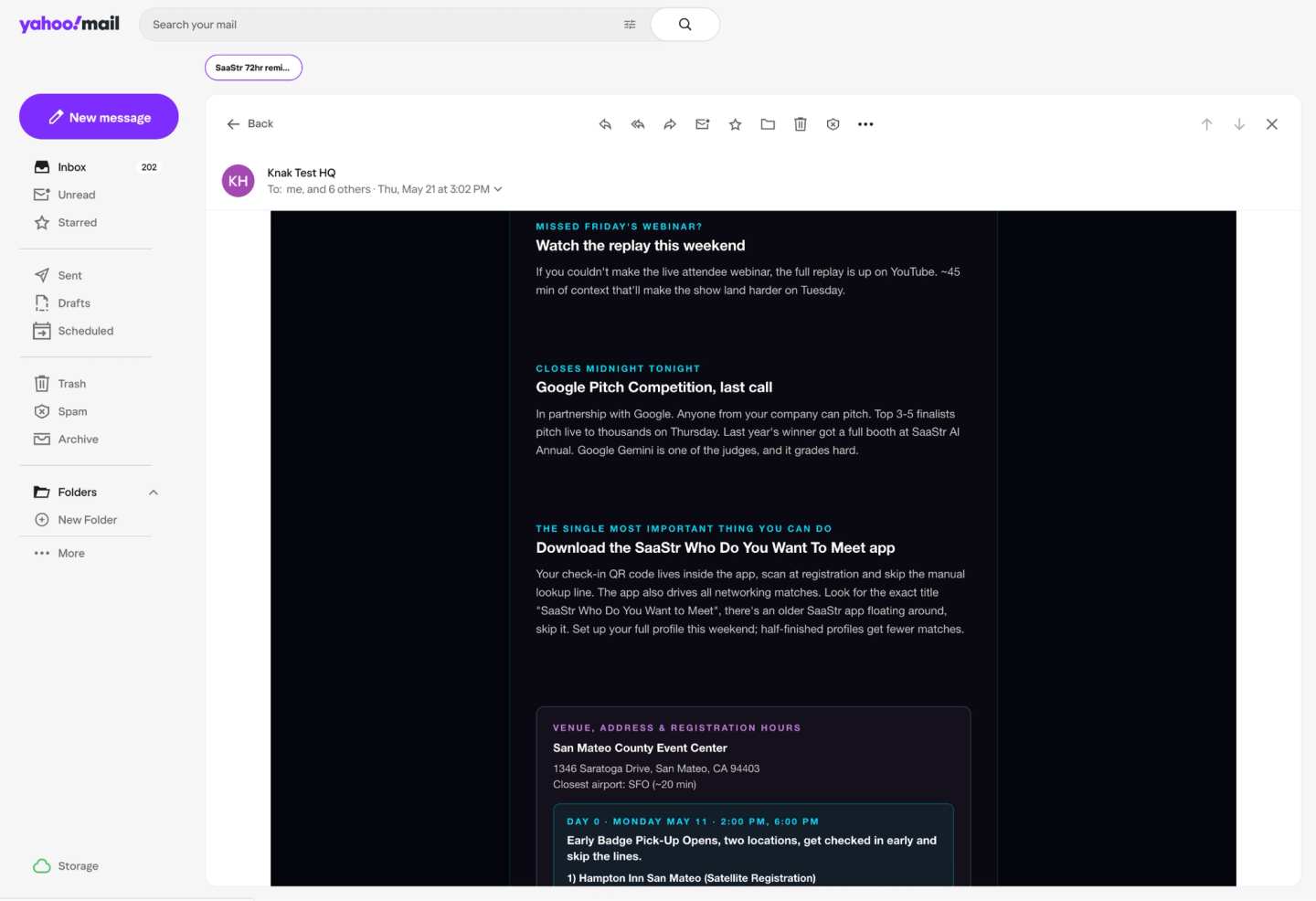
- Yahoo.com
- Yahoo App for Android
- Yahoo App for iOS
- AOL.com
- AOL App for Android
- AOL App for iOS
Being a B2B event, AOL and Yahoo support were likely not a concern, but the Outlook suite of apps has high usage in B2B.
As you can see below left, the buttons look great in Apple Mail, but below right, they are invisible in the Outlook App for Android, and below in Yahoo webmail. The outcome was the same for all the email clients listed above.
Dark Mode heading failures on iOS18
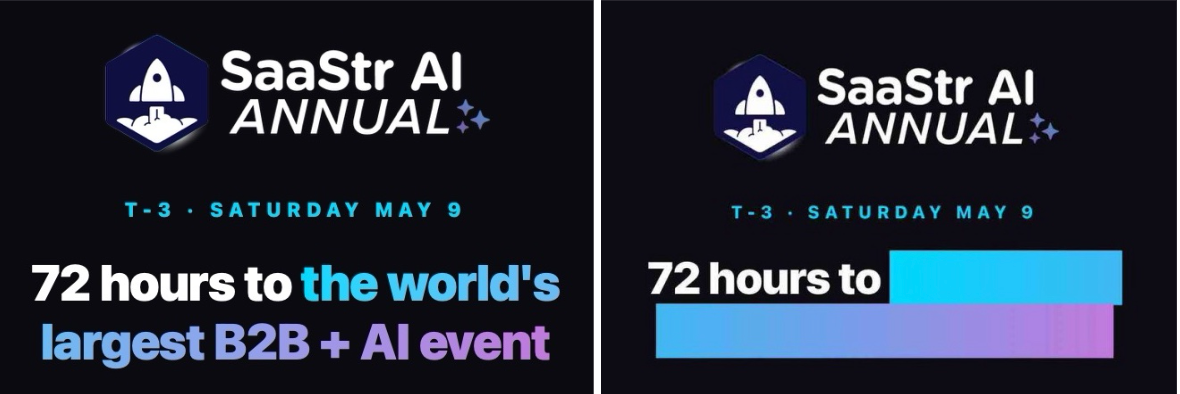
The linear-gradient does not work as expected in Dark Mode on iOS18, obscuring the actual heading.
Below left, iOS 18 Mail light mode, and on the right Dark Mode.
Not mobile responsive
You would expect these to be mobile-optimized, but unfortunately, they aren’t. This is not intentional — the main email series all share a basic ‘template’ and the HTML layout is actually coded responsively.
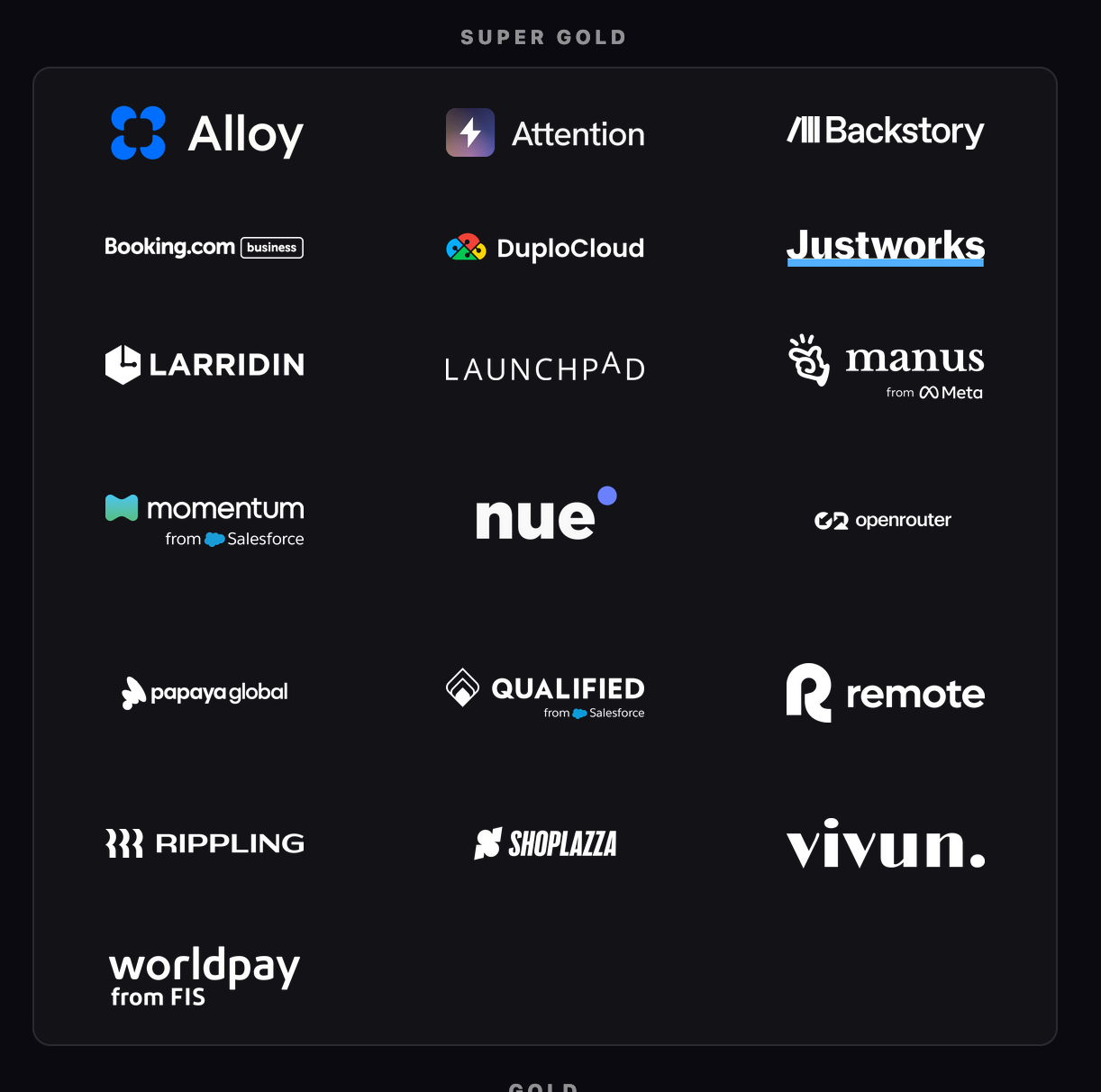
It works well in the 72 hour pre-event reminder email, where you can see it’s correctly adapting to a narrow mobile sized screen. On a later email using the same template however, while the table is the same, they added sponsor tables (pictured below) to the bottom of the email, and they are not coded to be responsive. They are therefore too wide, blowing out the width of the email, and stopping it from being responsive on mobile devices.
Below shows the issue on Apple Mail on desktop in a small window; the non-responsive emails require side-to-side scrolling, and don’t adapt to the screen.
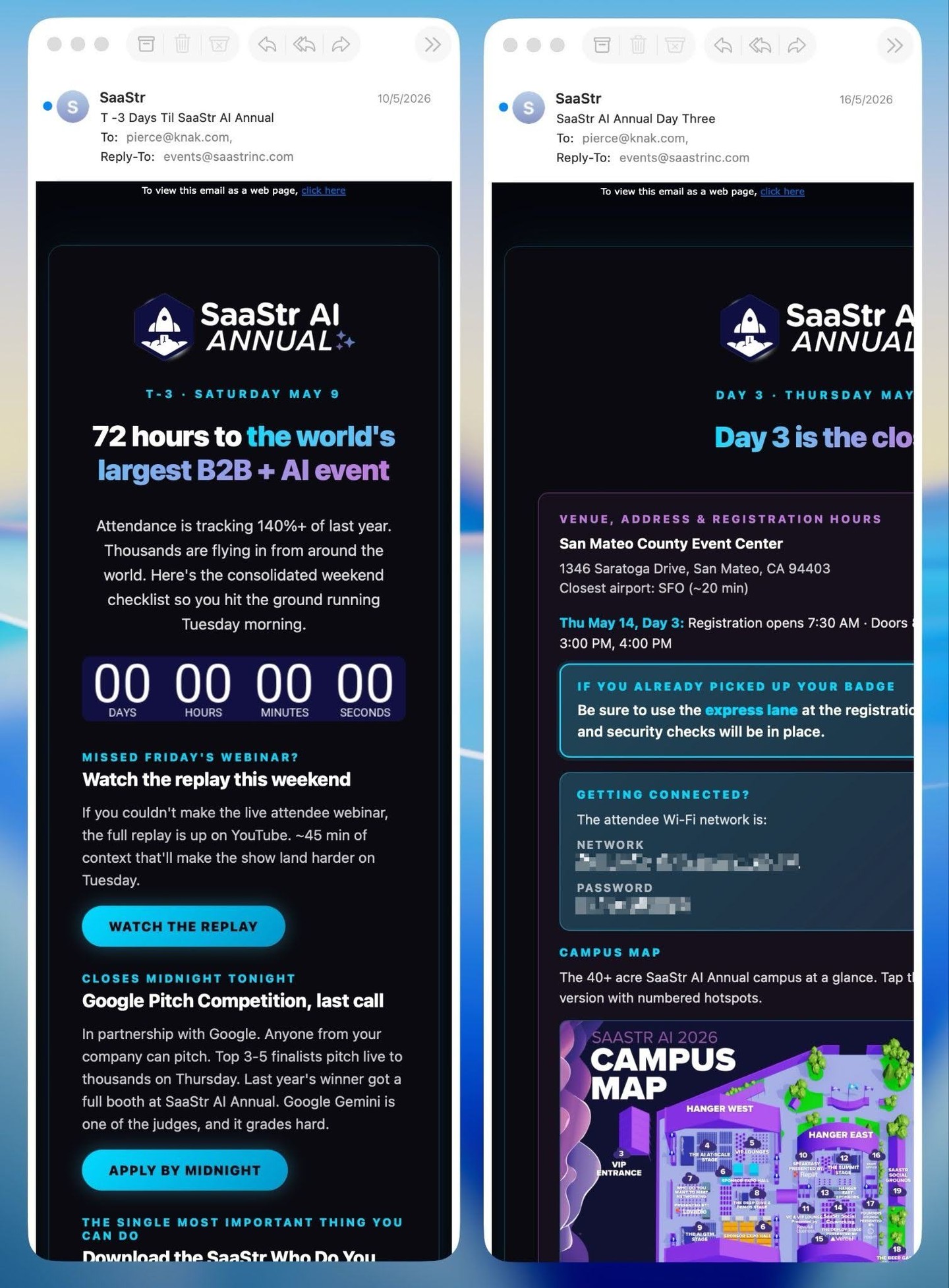
And below you can see the effect on a mobile device, where the Day 3 email (right) is very difficult to read because it’s cramped due to autofitting behaviour where the layout is scaled down to fit in the window, compared to the 72 hour reminder, which is responsive and readable.
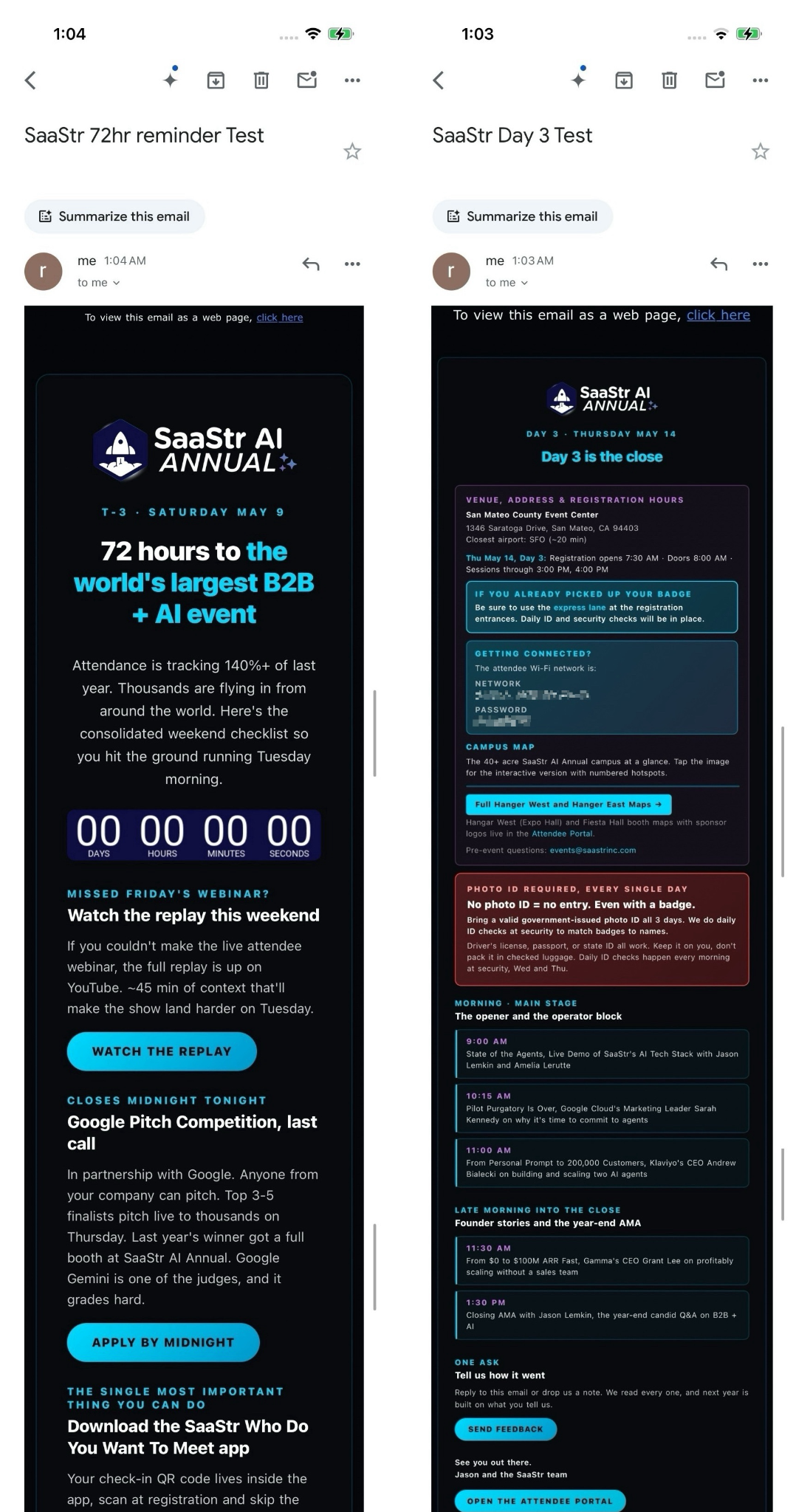
Ironically the 72 hour reminder was more likely to be opened on desktop, but it’s highly likely the daily emails were almost exclusively being read on mobile devices, where they are hard to read.
Invisible CTAs and unclickable links in Outlook Classic
Particularly for the lead-up emails, with a B2B audience you can expect a lot of attendees to be using Outlook for Windows.
On Outlook however the emails are unusable.
All of the CTA buttons are completely invisible. Almost all of the design elements (borders, shading) are lost.
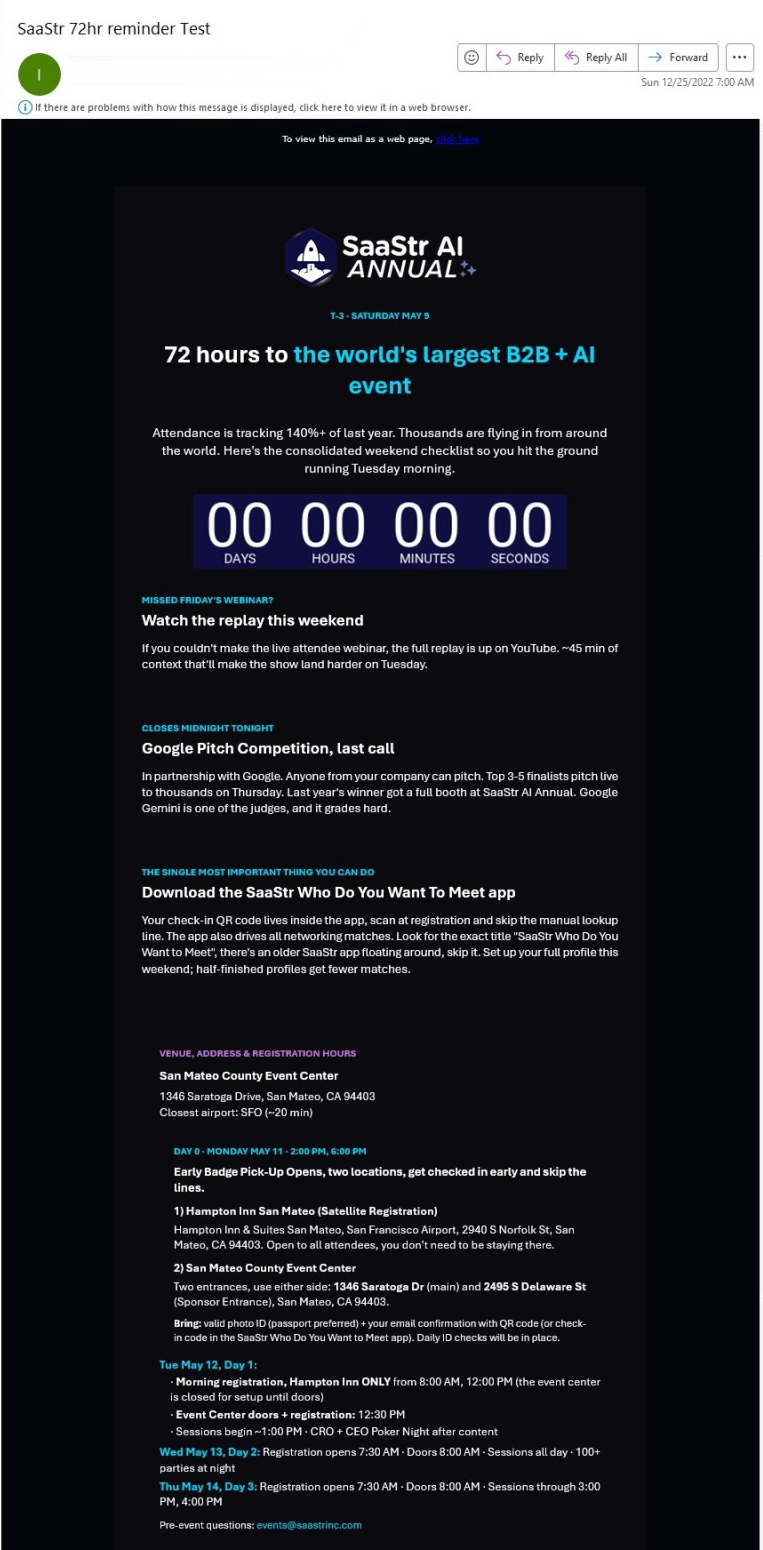
Additionally, all the other clickable CTAs fail too.
On areas like this Agenda Builder for planning your week, each of these bordered elements is a clickable CTA. However, they have been linked using a technique that does not work in Outlook for Windows. Therefore, for Outlook users, they have no way to click through at all — the agenda blocks aren’t clickable, and the CTA is not there. It is meant to work like this:
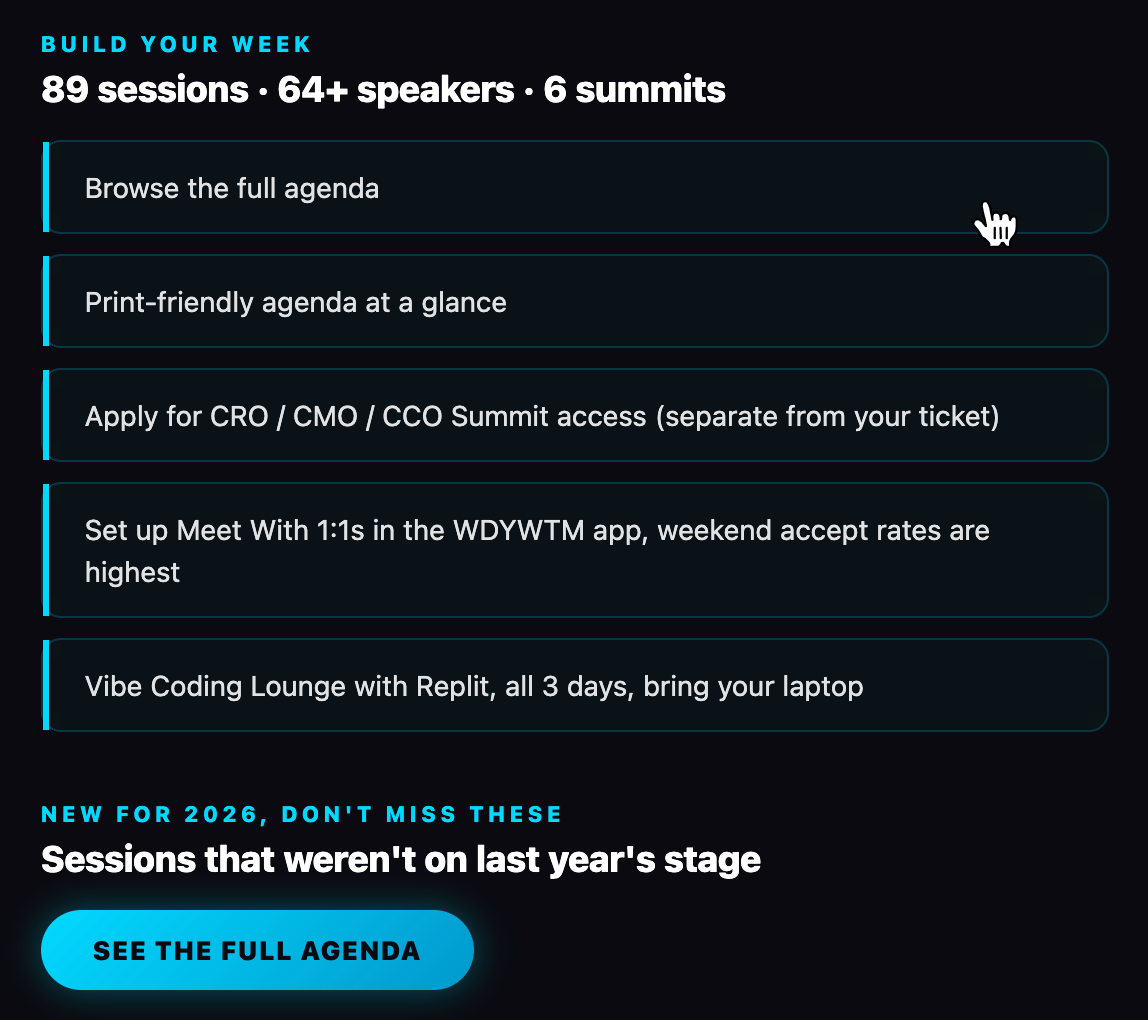
But in Outlook for Windows it looks like this, with no CTA, and nothing is clickable.
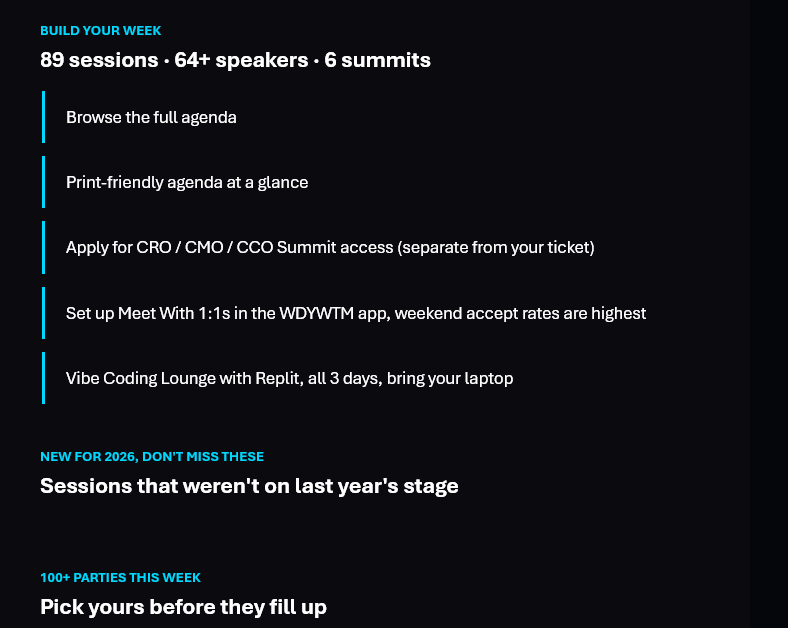
This leaves attendees with literally no way to see the agenda, print it out, or access the attendee portal, download the app – to do anything at all.
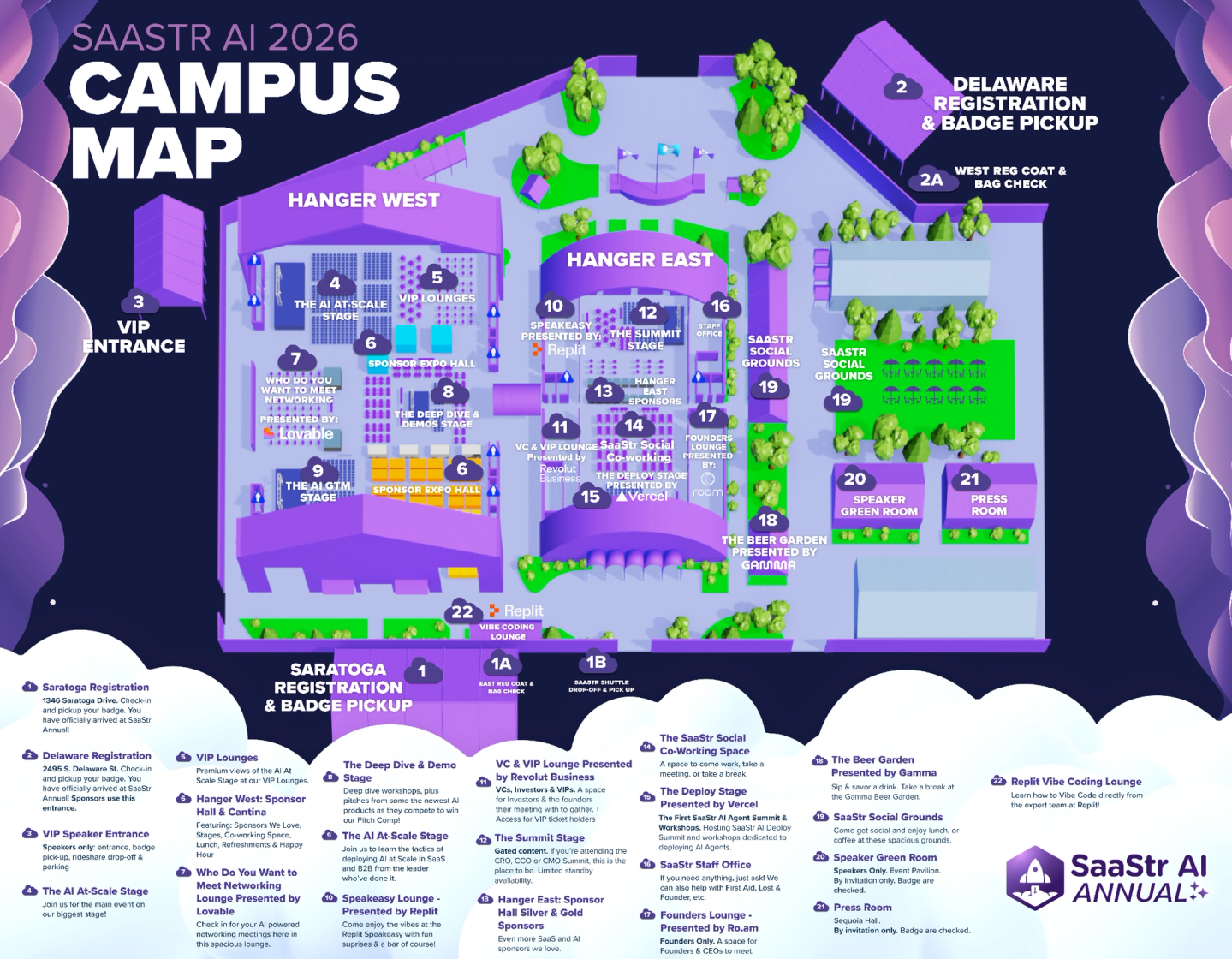
14mb Map image
The map is an enormous 14mb PNG, at around 9000px wide.
A 14MB image takes 1-15 seconds on a stable 4G/5G connection, but a patchy connection can stretch that to several minutes due to drops and restarts.

So there you have it.
You may be under pressure to use AI in your marketing - and that is a good thing. We all need to evolve to a new way of working.
But if you want to use AI in your marketing AND have perfectly rendered emails and a production platform that can support the needs of an enterprise marketing team, you should look at Knak.