How Knak's Designers Prototype Directly in the Codebase

Jack Steele
Director of Engineering, Knak
Published May 7, 2026
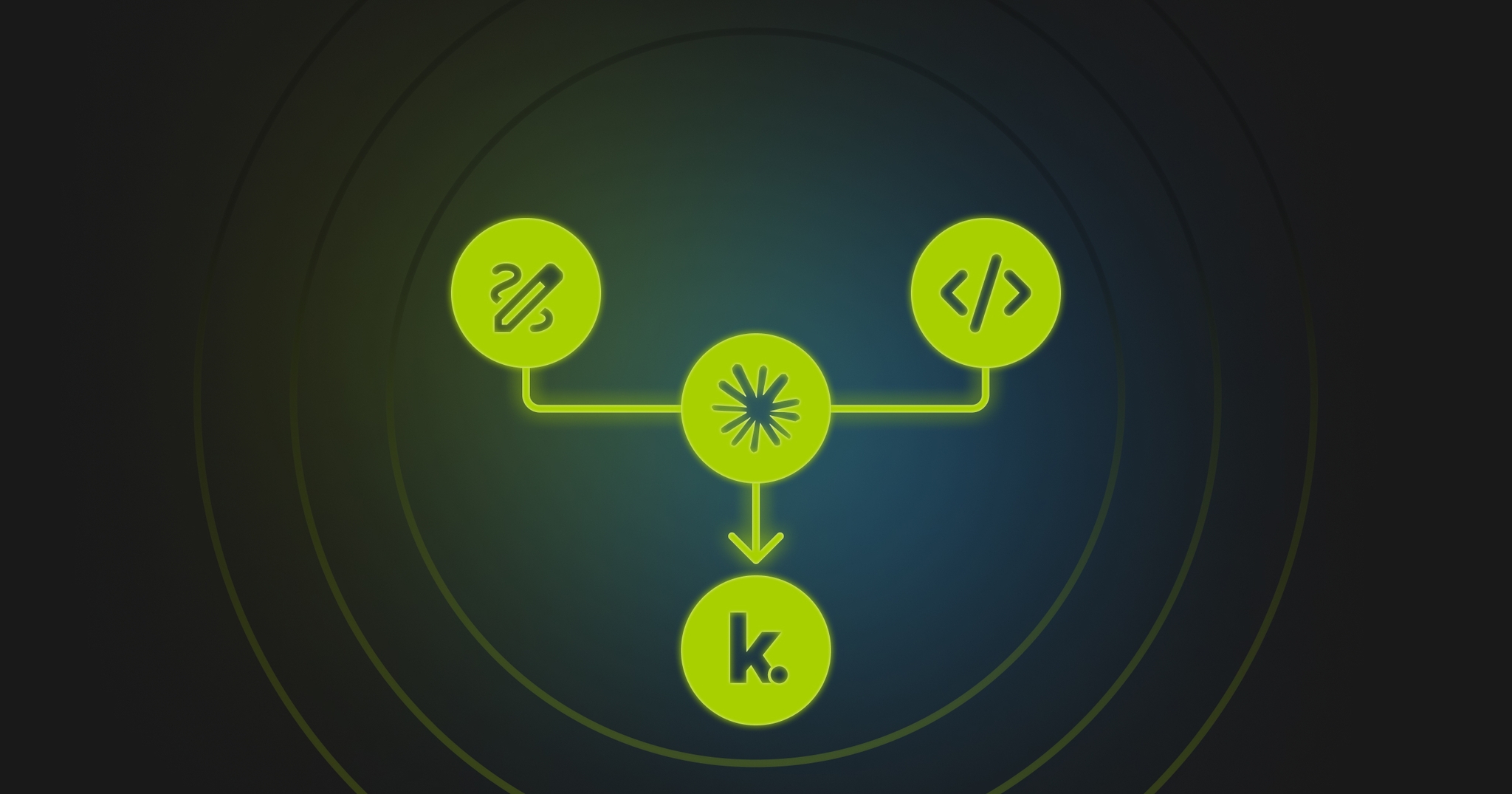
Designers and developers at Knak have traditionally been involved in a tedious game of ping-pong.
For any issue, big or small, the design team would create a mock-up and ping it over to the developers.
The dev team would build it out and discover issues – patterns that didn’t make sense or edge cases that weren’t considered – and pong it vback to design to be reworked.
The result was a series of back-and-forth handoffs in either Figma or Lovable as each group worked on the project in sequence.
We’ve figured out how to end handoff churn by making it a no-brainer for our design team to draft prototypes in our own codebase using Claude Code.
Not only are we now able to reduce back-and-forth between design and dev by letting designers prototype with Claude Code, but we’ve also replaced Figma and Lovable handoffs with one git branch.
And because Claude Code makes the process both easy and intuitive, our designers are embracing the new process.
A game-changing idea
We’re always looking for ways to use AI to improve efficiency. Earlier this year, as frontier models improved significantly, we got more ambitious about the kinds of problems we could solve with them. Could Claude Code go beyond helping our developers write code, and actually end the time-consuming ping-pong game between designers and developers?
We decided to test the idea, starting from the hypothesis that if designers prototyped in our production code base using real components, we’d get Figma-quality fidelity and Lovable-quality interactions without information getting lost, distorted or misunderstood during handoff.
And we figured that a project’s scope would be constrained by what actually exists in the code.
To get things going, we formed a tiger team of developers, which worked for six weeks to make the repo a safe, productive prototyping place for designers. Then we got designers to try it out.
The results are game-changing.
We found that with the right guardrails, Claude could behave like a prototyping collaborator, not a coding collaborator. Allowing designers to prototype in the same code developers build in removes many sources of friction in feature creation and development.
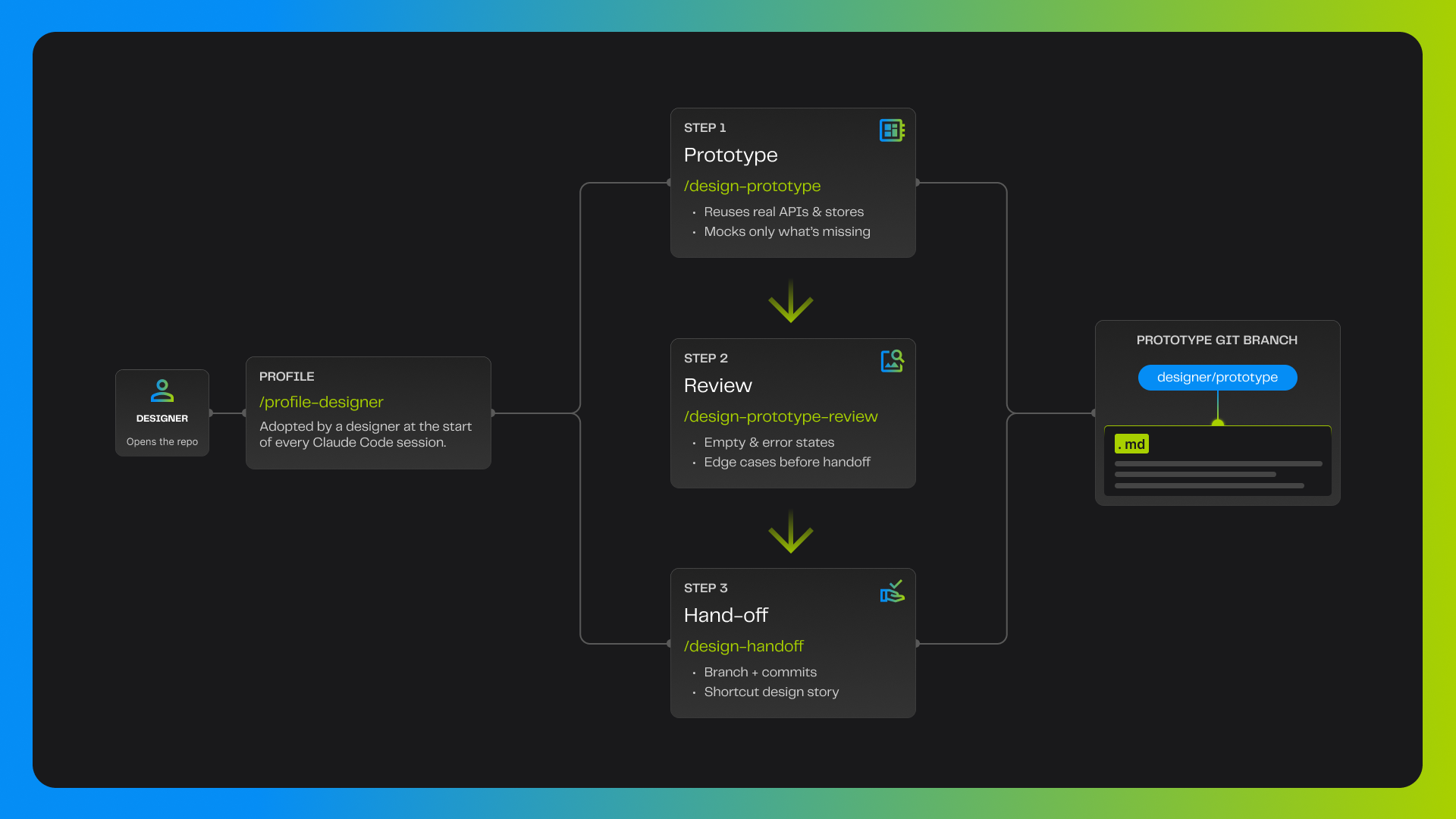
The architecture consists of one designer profile and three skill files — producing a single source of truth, in code, on one git branch.
We have identified six clear advantages to the new process.
1. There are now clear boundaries around scope
Projects are now bounded by what exists in the codebase. As a result, mock-ups become less speculative and more grounded. What’s more, designers are able to leverage constraints to their advantage.
2. We know early on whether something is feasible
Because designers are creating in code, feasibility issues are discovered early – during the design process, not later on when the project moves to development. This streamlines the process by eliminating the need for a redesign partway through a project. Previously, developers would be telling designers that something wasn’t feasible. Now, designers figure it out for themselves early on in the process.
3. Edge states are identified early
Designers tend to focus on what happens when things work well. But software doesn’t always operate under ideal conditions. Previously, empty, error and loading issues were often overlooked in the designs. This meant that developers would either fill in the gaps themselves, leading to a lower-quality visual experience, or go back to the designers with questions. Either way, the process got slowed down.
Now, they are all in the spec and flagged for review before handoff. In essence, we have enabled designers to think about these things during the design process so they can build to correct any problems that show up.
Megan Pollock, Senior Product Designer at Knak, tested out the new process and became an early adopter. As she noted, “It’s funny to me that getting into the code has actually made me a better, more detailed, designer.”
4. Working in a single artifact provides focus
Previously, a designer might create multiple iterations of a Figma design – especially if scope drift crept into the project. And then they might switch to Lovable to figure out how interactions work. The result was a scattered trail of artifacts across multiple tools.
By designing in the codebase, there’s only one single artifact being worked on in any given project. And therefore there is no more confusion over which version is the latest. Instead of using separate steps (design in Figma, then handoff, then creating a development ticket), everything is now done directly in one code branch in the repo. There are no intermediate tools or steps.
5. Designers feel more capable
Getting designer buy-in has been critical, and we’ve discovered our designers are embracing the concept of designing in the codebase. In the process, they believe they are becoming better, more detail-oriented and ready to embrace systems thinking.
“Being in the actual code base has enabled me to easily use all the design system stuff, like I would in Figma, but with the added bonus of being able to focus heavily on interactions, like I could in Lovable,” said Megan Pollock.
“The designs I’m putting together are thought out in more detail, and fit more seamlessly into the overall system,” she added.
6. The ability to design is democratized
The new arrangement benefits designers and developers, as well as other teams in the company.
Developers benefit from the ability to work from artifacts that are already in the codebase. One front-end developer remarked that working from a handoff branch cut his time-to-production roughly in half.
Designers benefit because they become more focused on what it’s like to click on and experience an app or feature they are working on – which is something that used to be more in the realm of developers.
Designers still have the flexibility to be really creative, but within the bounds of the components we know we want to use.
That means that they are able, from the start, to design something that’s much closer to what we’re actually building.
In that sense, they’re being encouraged to think more like developers.
So in some ways, AI is allowing a blending of the two roles. Designers and developers are speaking the same language, or working on the same canvas, if you like.
Because everyone is in the same workflow, members of all the different teams – development, product and engineering leaders – are able to share ideas. They can even use AI to pull a basic design together instead of having to go through Figma. This allows for fast prototyping by democratizing up the ability to design.
In fact, all departments can now work more easily together. We’ve discovered that it’s also easier for the leadership team to review the work as it progresses when it’s all in one place.
A better design experience
Code is what a software company actually ships.
Everything that comes before it — mock-ups, specs, tickets, diagrams — exists because most people in the company can’t read or write code directly, so they need other ways to describe what they want built.
But every time an idea moves from one of those formats into another, something gets lost: intent, detail, scope.
LLMs are remarkably good at working with code, which means they can give people who don’t code a way to work directly in it, instead of in approximations of it.
Our new design workflow gives an indication of the possibilities this opens up.
When designers, developers, product managers and even other adjacent teams can all work in the same place — the code itself — the in-between steps start to fall away.
With the right systems in place, codebases can become a place where a whole company gets work done, and gets it done collaboratively by working together.
With designers prototyping in the codebase, there are no more pie-in-the-sky mock-ups, no more misaligned estimates, no more scope drift and no more trimmed-back implementations that disappoint everyone.
We have gone from lots of handoff churn to a single artifact and a better overall design experience.
What’s not to like?